
A QR code menu that takes table orders and commission-free deliveries.
Customers scan, browse the menu, order from their table, ask for the bill or book — all from their own phone, with nothing to install. Delivery and pickup orders come straight to you: you pay a subscription, not a percentage of every plate.
No card at sign-up · Zero commission on orders · Publish the same day
How it works
From an empty account to customers ordering at the table, in 4 steps.
Create your account
Email and password. No installs, no complicated setup.
Fill in your menu
Add categories, products, photos, prices and allergens.
Publish
Noha generates the menu and the QR codes for your tables.
Get customers
Orders, waiter calls and reservations show up right at your end.
Your menu, in your colours
Three real restaurants, published on the platform — open them and see exactly what your customer sees.
Each card opens the demo restaurant's live menu in a new tab.
Ordering, waiter calls and reservations — right from the table
Customers do everything from their phone. You see it all live, in your dashboard.
Table ordering
Every table has its own QR code. Customers add items from the menu and send the order themselves, without calling anyone over.
Call the waiter
A single button on the customer's phone sends an instant alert to your team, with the exact table the request comes from.
Table reservation
Customers send a reservation request straight from the site. You confirm it from the dashboard and they're notified automatically.
Live control, from your dashboard
Nothing slips by — from a new order to your customer's opinion.
Live notifications, with a bell
New orders and table calls appear instantly in the dashboard, with sound and on-screen banners — no refreshing.
Status timeline for customers
Sent, accepted, being prepared, ready, served — your customer is always in the loop, without having to ask “has the order gone out?”.
Reviews after every meal
As soon as the order is served, customers can rate the service — real feedback, taken at the right moment, not a week later on Google.
“The food was delicious and the service very quick!”
Delivery and pickup, with no commission per order
Orders reach you directly, from your own digital menu. No percentage withheld from each order.
Orders straight in your dashboard
Customers choose delivery or pickup, and the order lands directly in your account, with all the details you need.
Your couriers, tracked live
You assign orders to couriers and follow the route on the map, with no phone calls or manual checks.
A bigger average order
Combos, recommendations and extra options help customers add more to their basket, without pressure.
Offers that start on their own
Schedule happy hour, the daily special or products available only at certain times, and Noha applies the rules automatically.
Average order: 60 RON
You pay the monthly subscription, no matter how many orders you receive.
Simple pricing
Start free, move to a paid plan when you need table ordering.
Start
- Digital menu with QR code
- Unlimited products and categories
- Your own colours, font and branding
- Instant updates, no reprinting
- Frequently asked questions
Pro
or 789.90 RON per year
- Everything in Start
- Table ordering via the QR code on the table
- Call the waiter from the table
- Table reservations
- Live order status notifications
- Customer reviews
- Recommended products at checkout
- Product import/export (CSV)
Business
or 1,590 RON per year
- Everything in Pro
- Online ordering: delivery and pickup
- Courier module, with live tracking
- Statistics and reports
- Scheduled offers (daily special, happy hour)
- Combo meals
- Multi-device table sessions, with separate bills
- Your own domain (CNAME)
Frequently asked questions
Everything you need to know before you start.
Do customers need any app?
No — not for the menu, ordering, calling the waiter or booking. Everything happens in the browser, right after scanning the QR code — no account, nothing to install.
How much does it cost per order?
Nothing. You only pay the monthly subscription, whether you get 10 or 1,000 orders. Delivery and pickup orders come through your own site, so no percentage is withheld.
What if the internet goes down?
Your menu doesn't live on a computer at your venue, but on a global network, so it keeps opening on your customers' phones. If your own connection drops, you won't see new orders until it's back — in the meantime you take orders the way you did before, and whatever was sent meanwhile is waiting in your dashboard. Nothing gets lost.
My customers are older — will they cope?
You scan it with the phone's camera and an ordinary page opens — no app, no account, no password. And the printed menu doesn't disappear: most venues keep a few copies at the bar for those who prefer them.
I already have a contract with a delivery platform.
You don't have to give it up. Loyal customers, the ones who call you directly anyway, order through your site and you keep the full amount; the rest of the orders keep coming through wherever they come now. The two can run side by side.
How long until I'm up and running?
One afternoon, for an ordinary menu: account, categories, products, publishing. If you already have your menu in Excel, import it from CSV and skip the typing. The QR codes can be downloaded and printed the same day.
How does a customer order from the table?
They scan the QR code of their table, pick items from the menu and send the order. You see it immediately in the dashboard, with a bell and step-by-step status: accepted, being prepared, ready, served.
What happens when a customer calls the waiter?
You get an instant alert in the dashboard, with the exact table the request comes from. It stays active until you mark it as handled by the team.
Can I take online reservations?
Yes — customers send reservation requests straight from the site, you confirm them from the dashboard, and they automatically get the confirmation.
What happens when I change a price?
You edit the product in the dashboard and press “Update menu”. The site is regenerated and republished automatically; the link and the QR code stay the same.
Can I use my brand's colours?
Yes — logo, cover image, primary and secondary colour, plus the font style. The menu looks like yours, not a generic template.
Can I show allergens?
Yes, every product has fields for allergens, ingredients, weight and labels such as vegan, vegetarian, spicy or gluten-free.
How fast does the menu load?
The menu is a static site served from Cloudflare's global network, so it loads almost instantly, even on a congested 4G connection.
News from the blog
Announcements, updates and offers for restaurants, cafés and bars.
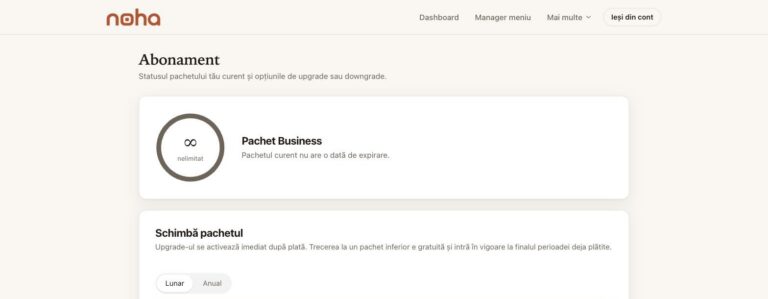
Noha Early Adopters: folosește toate funcționalitățile timp de un an, gratuit
Un produs pentru HoReCa nu poate fi construit doar dintr-un birou. Trebuie folosit într-un restaurant real. Într-o vineri seara. Cu mese ocupate. Cu produse care se termină. Cu rezervări. Cu personal ocupat. Cu clienți care folosesc sistemul în moduri la care poate nici nu ne-am gândit. De aceea am creat programul Noha Early Adopters. 12 […]
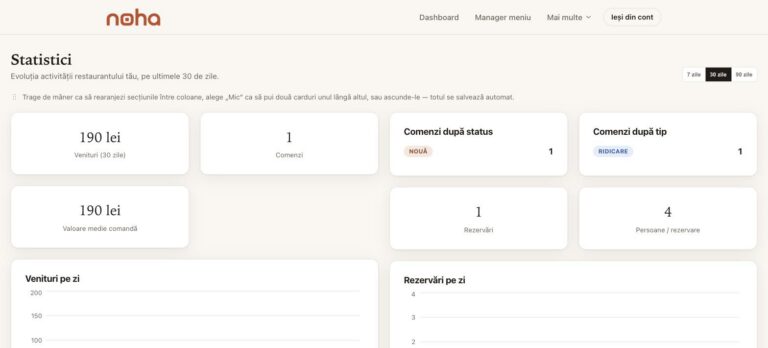
Ce poți afla despre restaurant din comenzile realizate prin meniul digital
La finalul zilei poți vedea totalul încasărilor. Este o informație importantă. Dar nu răspunde la toate întrebările. Care sunt produsele care se comandă cel mai des? În ce zile ai cele mai multe comenzi? Care este valoarea medie a unei comenzi? Există preparate care ocupă spațiu în meniu, dar sunt comandate foarte rar? Un sistem […]
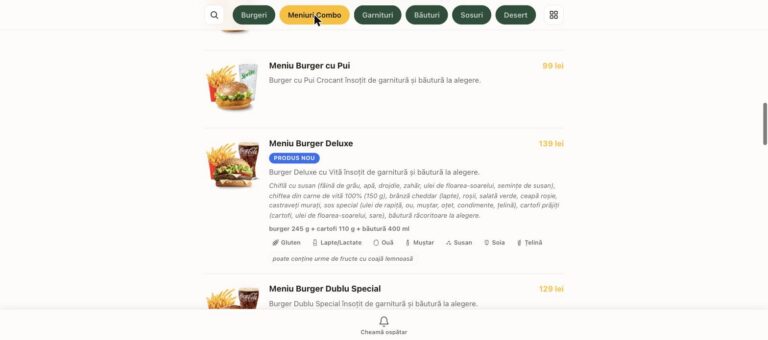
Cum poate un meniu digital să ajute restaurantul să crească valoarea medie a comenzii
Clientul comandă un burger. Cartofii sunt deja în meniu. Băutura este deja în meniu. Desertul este deja în meniu. Problema este că aceste produse nu îi sunt întotdeauna prezentate clientului exact în momentul potrivit. Aici intervine upselling-ul. Recomandarea contează atunci când clientul ia decizia Într-un restaurant clasic, ospătarul poate întreba: „Doriți și cartofi?” „Adăugăm o […]